
Let's set up your first Fresh project. To create a new project, run this command:
deno run -Ar jsr:@fresh/initThis will spawn a short wizard that guides you through the setup, like the project name, if you want to use tailwindcss and if you're using vscode. Your project folder should look like this:
<project root>
├── components/         # Store other components here. Can be named differently
│   └── Button.tsx
├── islands/            # Components that need JS to run client-side
│   └── Counter.tsx
├── routes/             # [File system based routes](/docs/concepts/file-routing)
│   ├── api/
│   │   └── [name].tsx  # API route for /api/:name
│   ├── [_app.tsx](/docs/concepts/app)        # Renders the outer <html> content structure
│   └── index.tsx       # Renders /
├── static/             # Contains static assets like css, logos, etc
│   └── ...
│
├── client.ts       # Client entry file that's loaded on every page.
├── main.ts         # The server entry file of your app
├── deno.json       # Contains dependencies, tasks, etc
└── [vite.config.ts](/docs/advanced/vite)  # Vite configuration file
Path aliases
Your new project comes with a @/ path alias pre-configured in deno.json. This allows you to use absolute imports from your project root instead of relative paths:
// With @/ alias
import { define } from "@/utils.ts";
import { Button } from "@/components/Button.tsx";

// Without alias (relative paths)
import { define } from "../utils.ts";
import { Button } from "../components/Button.tsx";
The @/ alias is configured in your deno.json imports section:
{
  "imports": {
    "@/": "./"
    // ... other imports
  }
}
This makes imports cleaner and easier to refactor, especially as your project grows.
Run the dev task to launch your app in development mode:
deno task devGo to the URL printed in the terminal to view your app.

[info]: If you encounter any problems during setup or development, check the troubleshooting guide for common issues and solutions.
Creating our first route
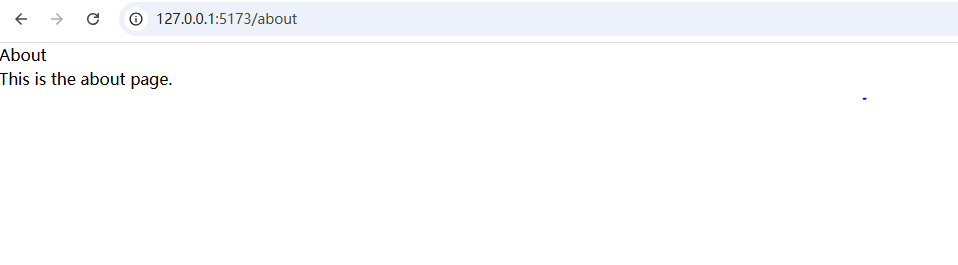
Let's create a new about page at /about. We can do that by adding a new file at routes/about.tsx.
import { define } from "@/utils.ts";

export default define.page(() => {
  return (
    <main>
      <h1>About</h1>
      <p>This is the about page.</p>
    </main>
  );
});
If we navigate to /about in the browser we'll see our newly created page.
Create an island
We're going to create a countdown component that requires JavaScript to function in the browser.
Create a new file at islands/Countdown.tsx
import { useSignal } from "@preact/signals";
import { useEffect } from "preact/hooks";

export function Countdown() {
  const count = useSignal(10);

  useEffect(() => {
    const timer = setInterval(() => {
      if (count.value <= 0) {
        clearInterval(timer);
      }

      count.value -= 1;
    }, 1000);

    return () => clearInterval(timer);
  }, []);

  if (count.value <= 0) {
    return <p>Countdown: 🎉</p>;
  }

  return <p>Countdown: {count}</p>;
}
Let's add the countdown to our about page:
import { define } from "@/utils.ts";
import { Countdown } from "@/islands/Countdown.tsx";

export default define.page(() => {
  return (
    <main>
      <h1>About</h1>
      <p>This is the about page.</p>
      <Countdown />
    </main>
  );
});
Now, we can see our countdown in action:

Next steps
Now that you have a working Fresh project, here are some things to explore:
- Routing - Learn about route patterns, dynamic parameters, and method-specific handlers
- Data Fetching - Load data on the server and pass it to page components
- Islands - Understand how Fresh's partial hydration works and what can be passed as props
- Middleware - Add authentication, logging, or custom headers to your routes
- Architecture - See how requests flow through the entire framework